Shopping & budgeting · iOS · Android · Huawei · free
Your list and your budget, together.
Share shopping lists with family and see what you spend. Free, works offline.
- One app for the list and the budget — Add it to the list, then see what it costs — no second app, no spreadsheet.
- Shared with your family — Invite them with a link or a 6-character code. Changes appear on everyone's phone.
- Works with no signal — Full offline mode, so the store basement doesn't stop you from shopping.
01 Shop together, in real time
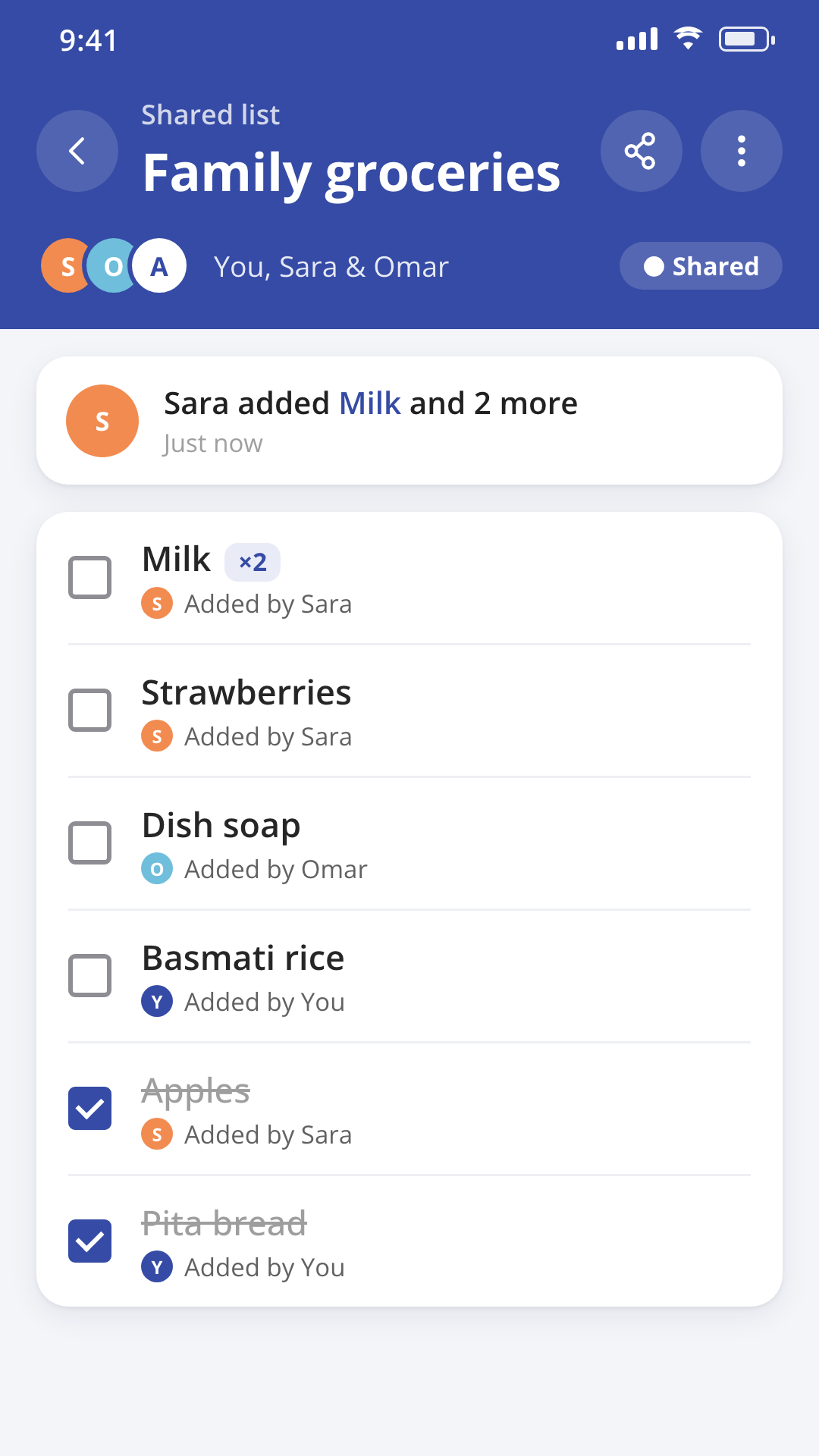
Shop together, in real time
- Invite family with a link or a 6-character code.
- Changes appear on everyone's phone as you shop.
- Each item shows who added it.
- Leave any time — or the owner can remove someone and reset the code.
02 Done shopping? Log it in one tap.
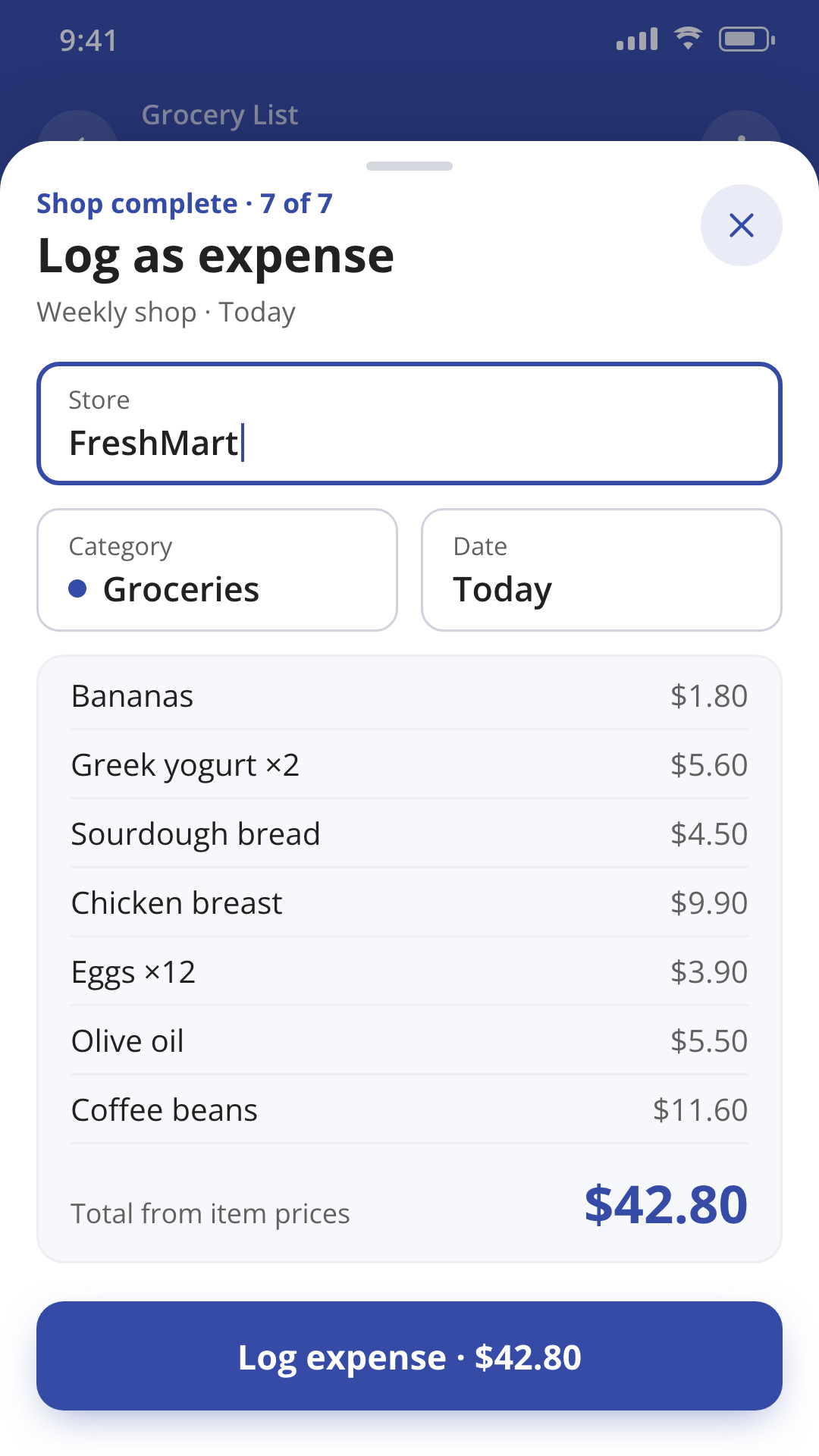
Done shopping? Log it in one tap.
- Turn a finished shop into an expense with one tap.
- Prices and the store name carry over automatically.
- "Shop again" unchecks everything, ready for next time.
03 Stay on budget, every month
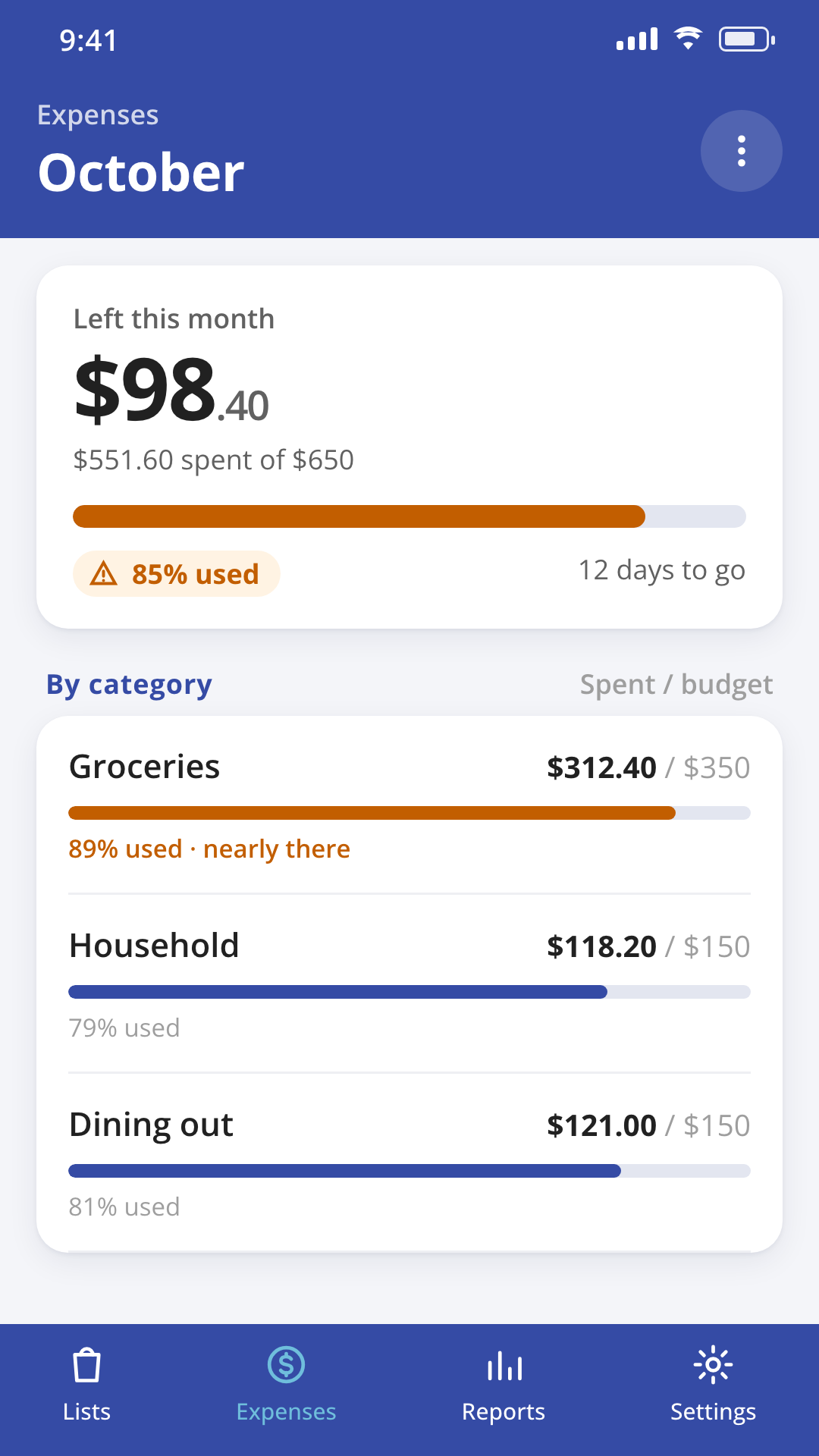
Stay on budget, every month
- Set a monthly budget and see what's left as you go.
- A nudge at 85% spent, and again if you go over.
- Group spending into categories — yours or the built-in ones.
- Add recurring bills and income, with a reminder before they're due.
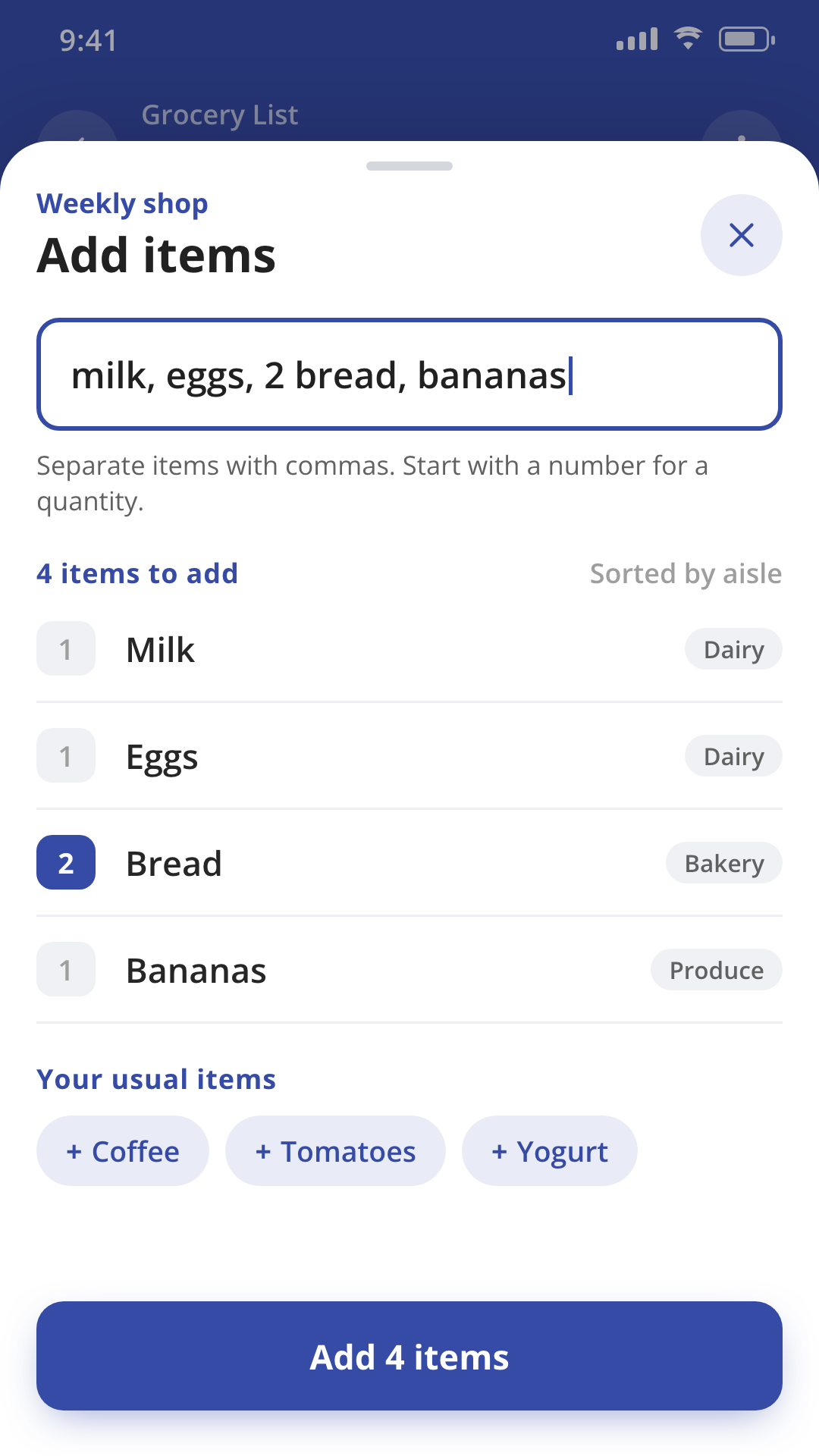
04 Milk, eggs, bread. Added in one go.
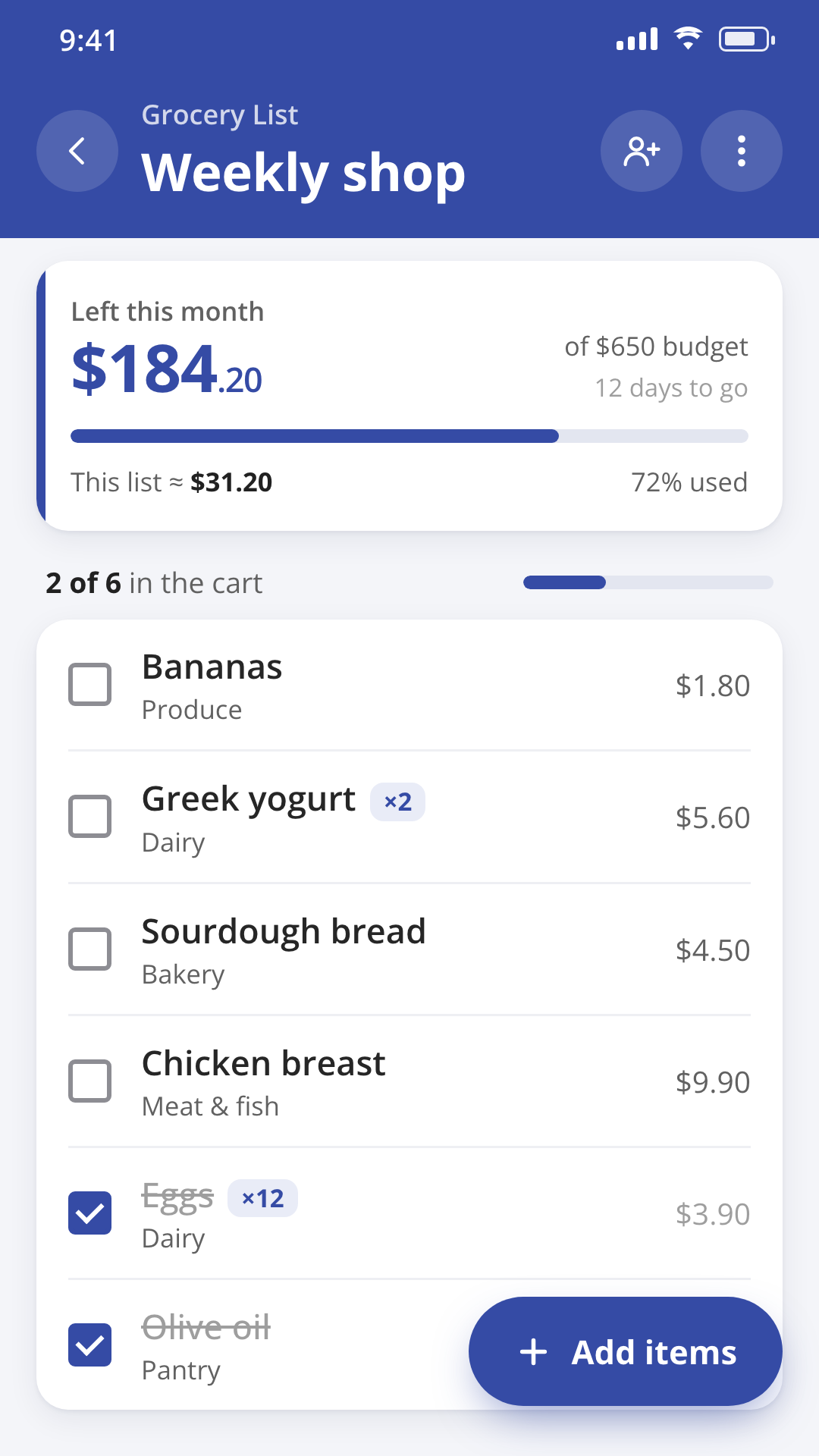
Milk, eggs, bread. Added in one go.
- Type a few items separated by commas and each lands as its own entry.
- Add a quantity right in the text, like "2 milk."
- "Your usual items" are one tap away.
- Add a note or a price to any item.
05 Your list on your home screen
Your list on your home screen
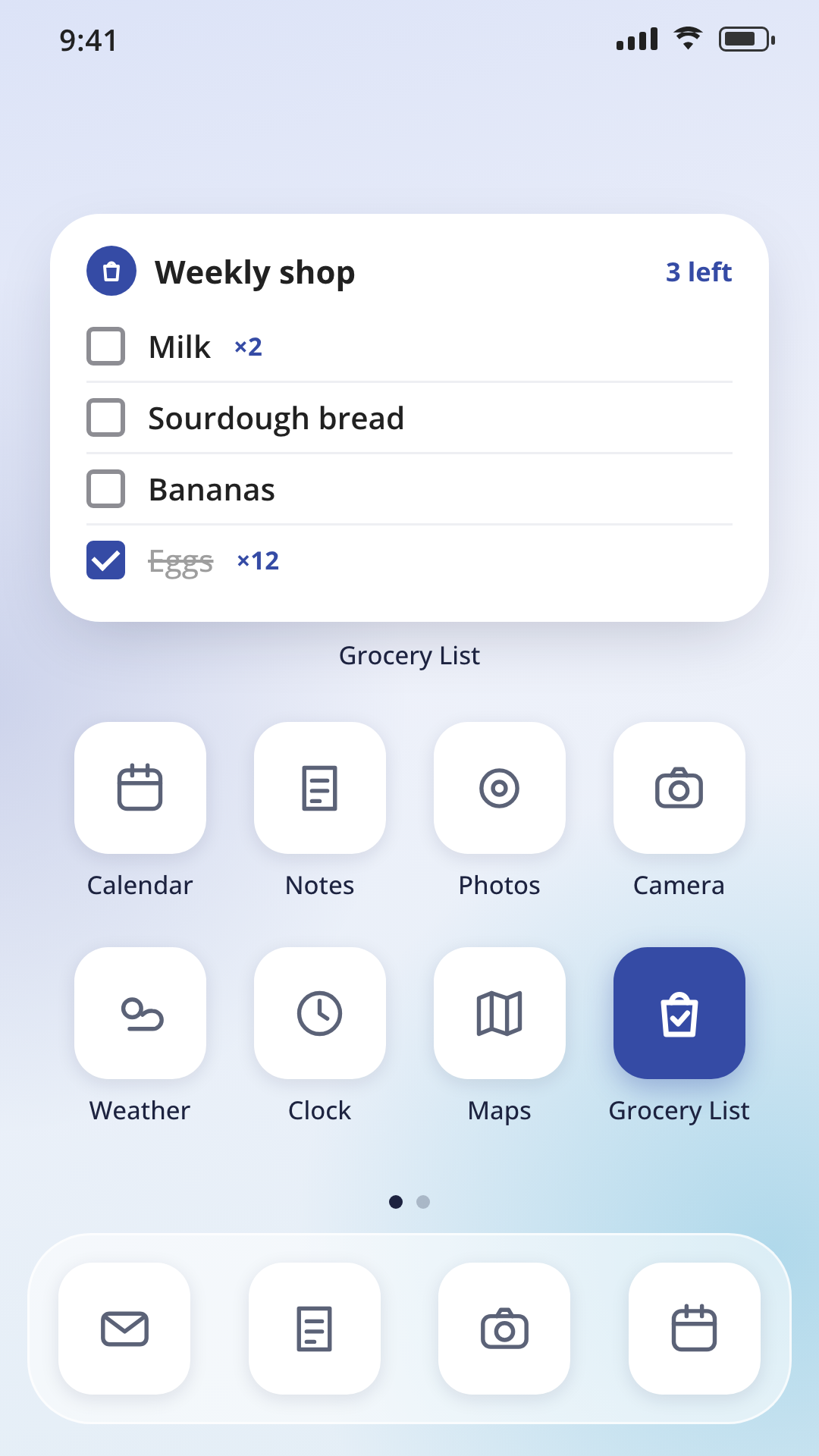
- A widget shows your active list without opening the app.
- Long-press the app icon to add an item in seconds.
- Set a reminder for the time you usually shop.
06 Sorted by aisle, with your usual items
Sorted by aisle, with your usual items
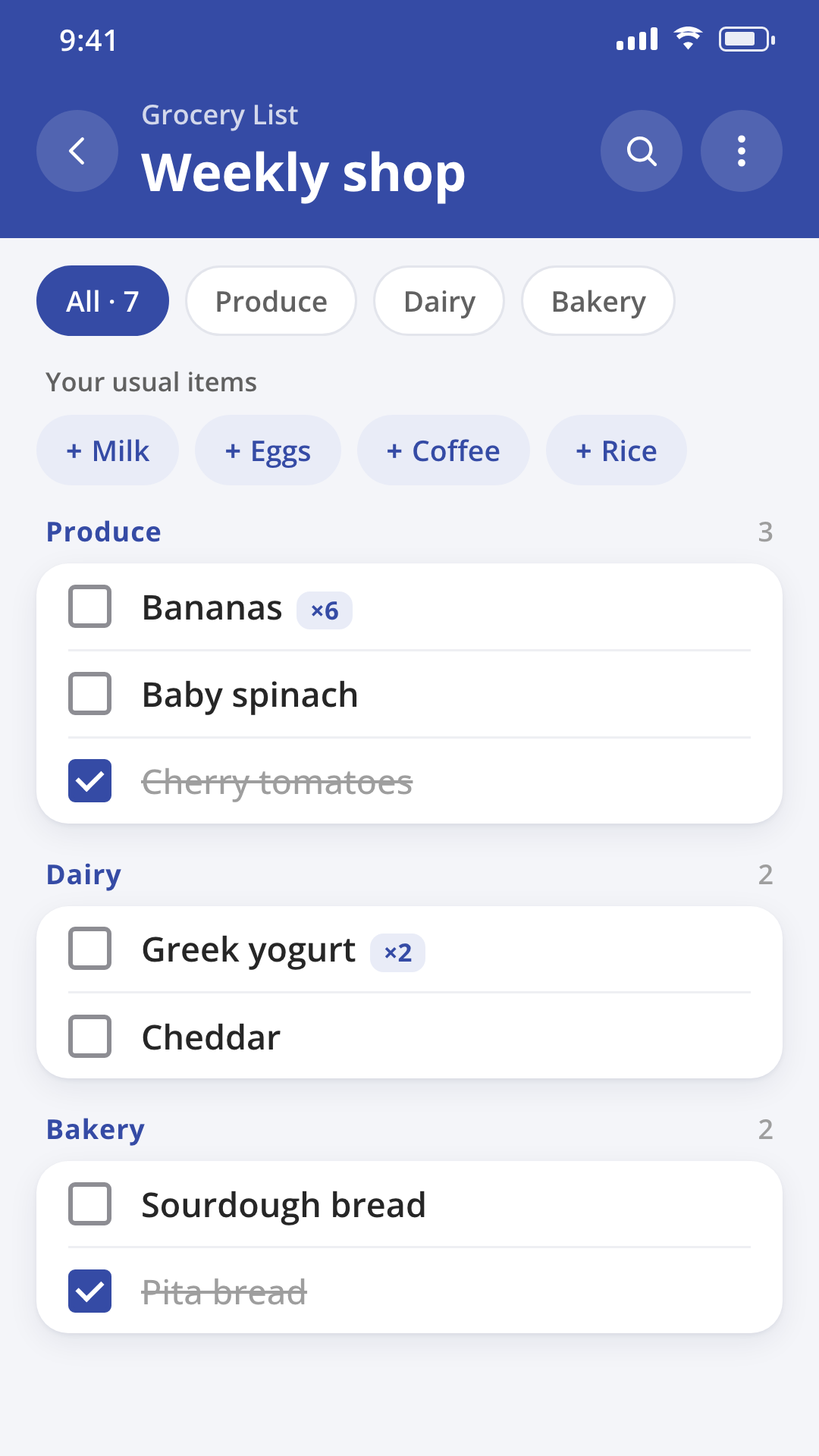
- Items sort themselves by aisle as you add them.
- Filter the list by category when you only want to see one part of it.
- Your frequently bought items turn into quick-add chips.
07 Works offline. Speaks your language.
Works offline. Speaks your language.
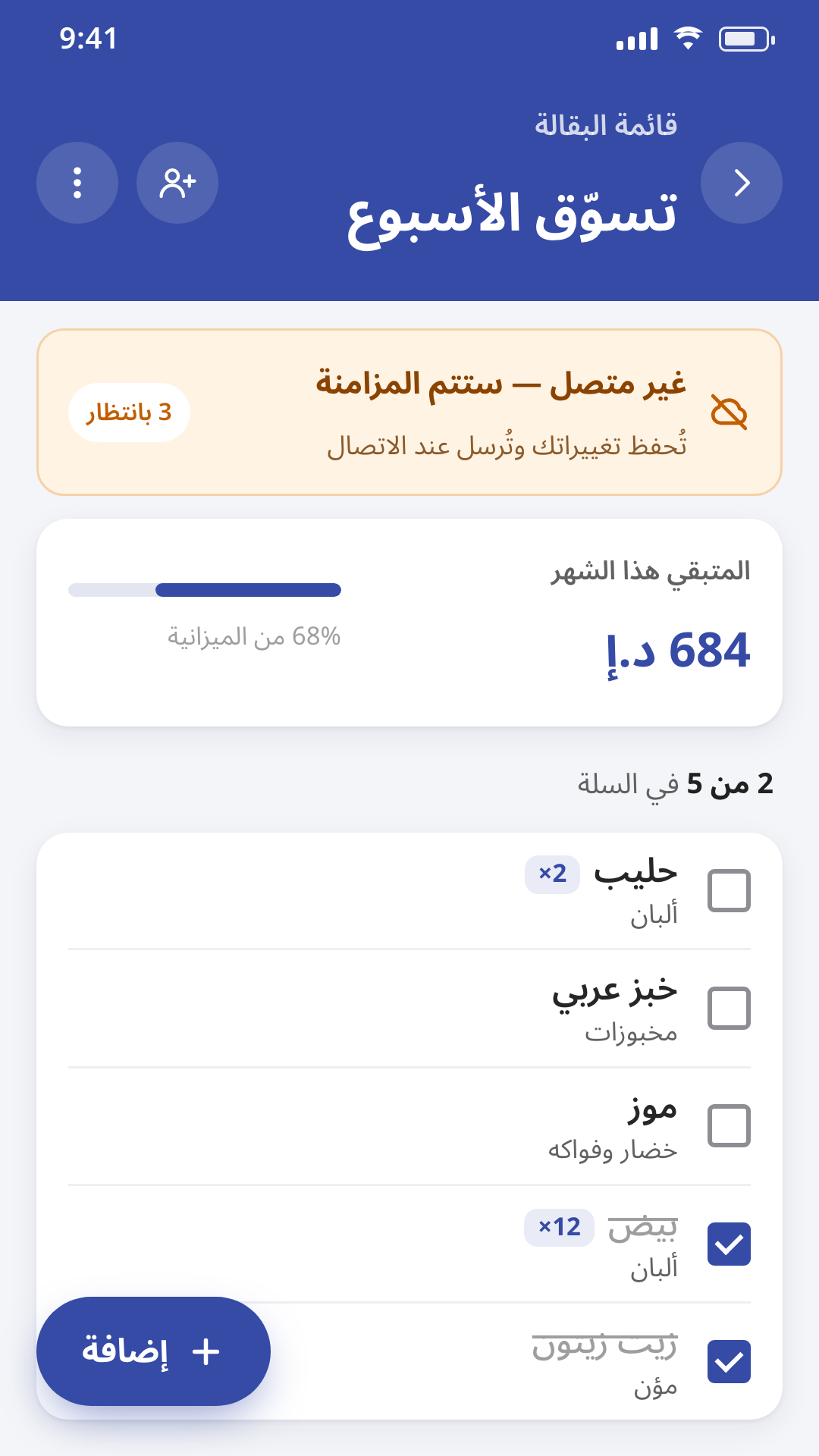
- Full offline mode, with a sync-status indicator.
- Eight languages, including Arabic with full right-to-left layout.
- Works with VoiceOver and TalkBack, larger text, and tablet and landscape layouts.
08 Everything in the app
Everything in the app.
Grouped the way the app itself is organised. Nothing here that isn't actually in the app.
Shop together
- Invite family by link or a 6-character code
- Owner can reset the code any time
- Each item shows who added it
- A notification when someone adds to a shared list
- Owner can remove a member; anyone can leave
- Share the list as plain text, grouped by aisle
Add items in seconds
- Add several items at once — split by commas, semicolons, new lines or Arabic commas
- Add a quantity in the text, like "2 milk"
- "Your usual items" as one-tap chips
- Items sort themselves by aisle, with category filter chips
- Optional notes and prices, with an estimated total
- Undo a deleted item
- "Clear checked" and "Shop again" to reuse a list
Your list, always at hand
- Home-screen widget on iOS and Android
- Quick Add from a long-press on the app icon
- Full offline mode, with a sync-status indicator
- An optional reminder at the time you choose
Track what you spend
- Log a finished shop as an expense in one tap, prefilled from item prices and the store name
- Log income and expenses by category, with payee suggestions
- Attach a receipt photo, stored on your device
- Monthly budget with a "left this month" view, plus alerts at 85% used and over budget
- Category groups, including your own custom categories
- Recurring bills and income, with a reminder before they're due, synced across your devices
- Reports by day, week, month and year, plus a forecast
- Any world currency, with the right number of decimals (three for Kuwaiti dinar or Bahraini dinar) — currency follows your account
Made for everyone
- No sign-up required to start
- Free account for backup and sharing, with your guest data moved over when you sign up
- Eight languages, with Arabic fully right-to-left and Arabic/Hindi numeral entry
- VoiceOver and TalkBack support, larger text, and tablet- and landscape-friendly dialogs
- Delete your budgeting data or your whole account, from your device and from our servers
09 What's new in 4.0.0
What's new in 4.0.0.
Shared lists and the budget side of the app got the biggest updates this release.
- Shared family lists, with an invite link or a 6-character code
- A notification when someone adds to a shared list
- Add several items at once, with quantities — "2 milk"
- Items sort themselves by aisle, with your usual items as one-tap chips
- Log a finished shop as an expense in one tap
- Monthly and category budgets, with an alert before you go over
- A new home-screen widget for iOS and Android
- Offline mode, now faster and smoother
10 Details
| Publisher | Digital Services |
|---|---|
| Category | Shopping & budgeting |
| Platforms | iOS, Android, Huawei |
| Price | Free. Supported by ads. |
| Support | support@digitalservices.me |
| Legal | Privacy policy · Terms of use |
Available in 8 languages
11 Under the hood
How it's actually built.
Grocery List & Budget Planner is a cross-platform build — one codebase across iOS, Android and Huawei AppGallery, which is the practical reason it can carry eight languages including Arabic without maintaining three separate native trees in parallel. On AppGallery devices specifically, notifications and any account services route through Huawei's HMS Core rather than Google's equivalents, since Huawei hardware doesn't ship with Google Mobile Services.
Offline mode is the feature that shaped the rest of the architecture, not an afterthought bolted onto it. Every list edit — adding an item, ticking it off, changing a quantity — writes to a local queue first and reconciles with the server the moment a connection reappears, rather than assuming the network is always there and degrading badly when it isn't. That's the harder version of "offline support" to build, and the one that actually holds up in a supermarket basement with no signal.
The home-screen widget reads from that same local data store directly, using each platform's own native widget framework rather than a web view wrapped to look like one — which is why it reflects the active list without waiting on the app to open or a network round trip to finish.
12 Questions
About Grocery List.
Is it free?
Yes. Grocery List & Budget Planner is free to download on the App Store, Google Play and Huawei AppGallery. The app is supported by ads, and you don't need an account to start.
Do I need an account?
No. You can build lists, share them and track spending as a guest. A free account adds backup and sharing, and if you've been using the app as a guest, that data moves over when you sign up.
How do I share a list with my family?
Send an invite link or share a 6-character code from the list. Anyone who joins can add and check off items, and each item shows who added it. The list owner can reset the code or remove a member; anyone can leave a shared list on their own.
Does it work offline?
Yes. The app works fully offline — you can add, edit and check off items with no connection, and a sync-status indicator shows where things stand.
Which currencies and languages are supported?
Any world currency, shown with the right number of decimal places for that currency. The app is available in eight languages — English, Arabic, German, Greek, Spanish, French, Hindi and Tagalog — with full right-to-left layout in Arabic.
Where are my receipt photos stored?
On your device. A receipt photo attached to an expense stays stored locally rather than being uploaded anywhere.
How do I delete my account?
From inside the app. You can delete your budgeting data, or your whole account, and it's removed from both your device and our servers.
Does it have a home-screen widget?
Yes, on both iOS and Android. It shows your active list without opening the app, and Quick Add lets you add an item straight from a long-press on the app icon.
13 More from Digital Services

Bazarly
A local buy-and-sell marketplace app with AI photo-to-listing, in-app chat and offers — live in Cyprus, and available to license as a white-label platform.
Executive Notes
A note-taking and task app for people who think faster than they type: reminders, cross-device sync, audio and image attachments, and sharing.

Business Ideas
A workspace for founders: break an idea into tasks and milestones, validate it with community polls, and browse what other people are building.
Built by Digital Services