Notes & tasks · iOS · Android · Huawei · free
Executive NotesA free notes, tasks and reminders app
Capture it before it's gone.
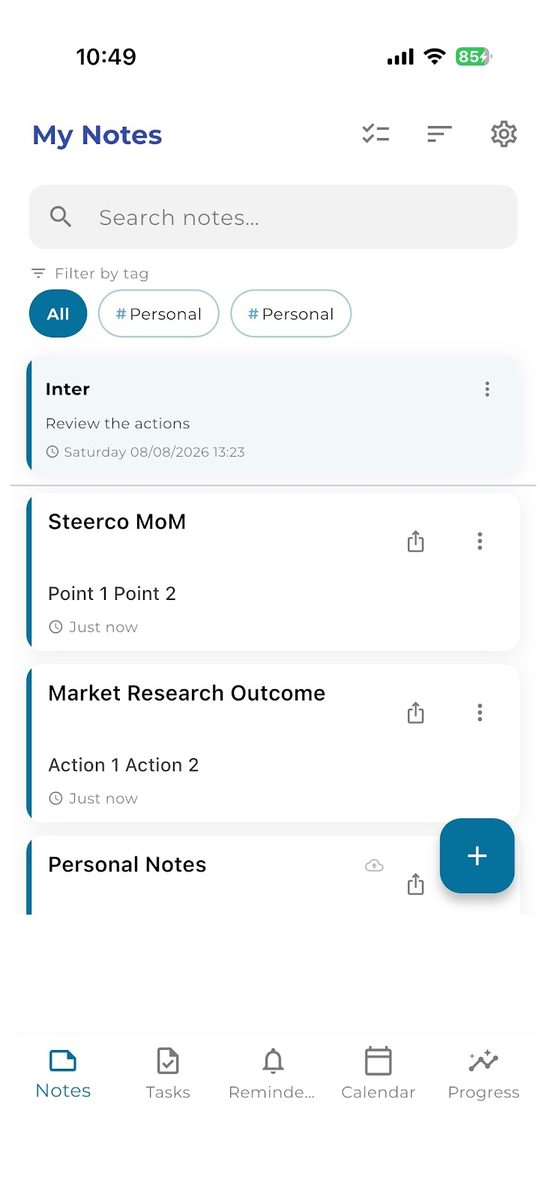
Notes, tasks and reminders in one place, synced across every device, with a home-screen widget that shows what's overdue before you open the app.
01 In short
What is Executive Notes?
Built and maintained by Digital Services. Free on all three stores, in 1 language.
Notes, tasks and reminders in one place, synced across every device, with a home-screen widget that shows what's overdue before you open the app. Built by Digital Services and free to download on the App Store, Google Play and Huawei AppGallery.
- Notes, tasks and reminders together — Stop keeping the thought in one app and the deadline in another.
- One Reminders view — Reminders from notes, tasks and standalone alerts all show up together, so nothing gets buried.
- Overdue at a glance — A home-screen widget on iPhone and Android shows what's overdue before you open the app.
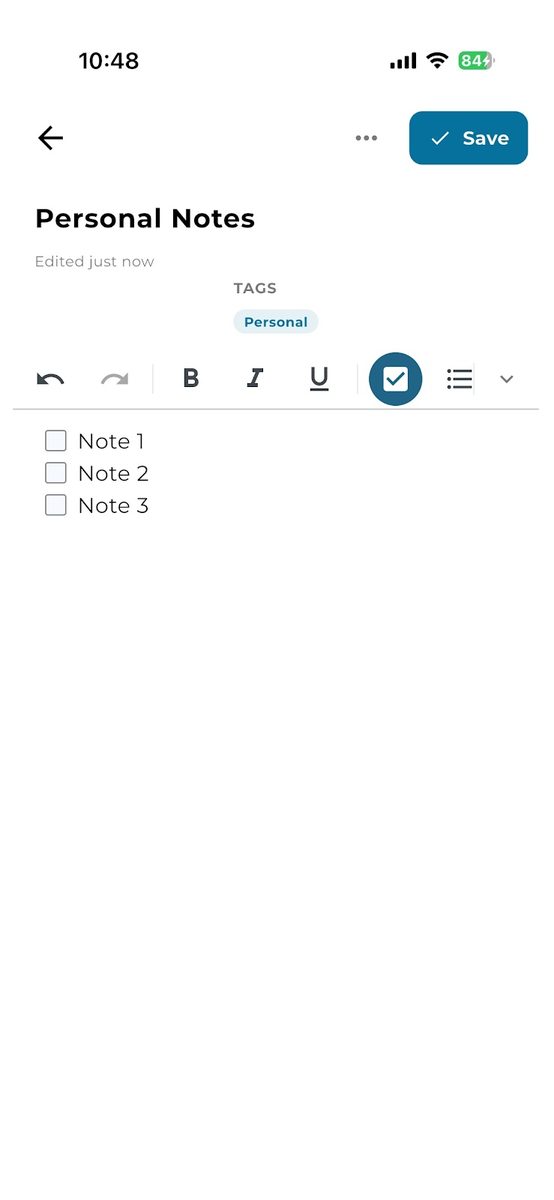
Screens
See it before you download.
The same screens you'll find on the App Store, Google Play and AppGallery.
02 Features
Everything it does.
No feature list padding. This is the app.
| Feature | What it does |
|---|---|
| Rich-text notes | Formatting, checklists, categories and tags. |
| Voice-to-text | Dictate notes hands-free when typing isn't convenient. |
| Photo attachments | Attach photos to a note. |
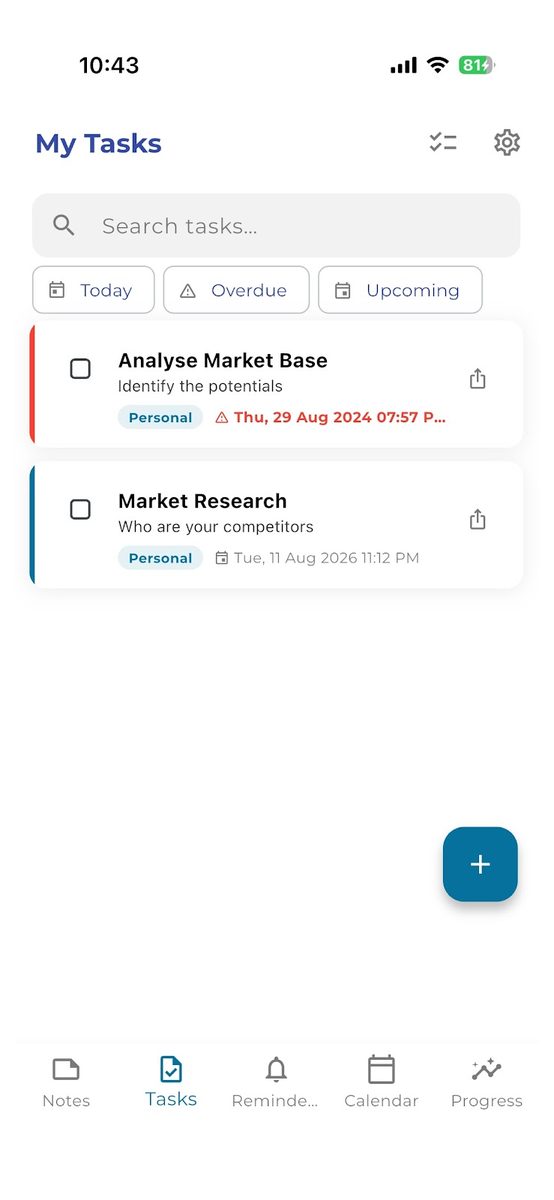
| Tasks | Create, prioritise and check off tasks, with bulk actions to clear a list in one go. |
| Reminders | Reminders from notes, tasks and standalone alerts, together in one Reminders view. |
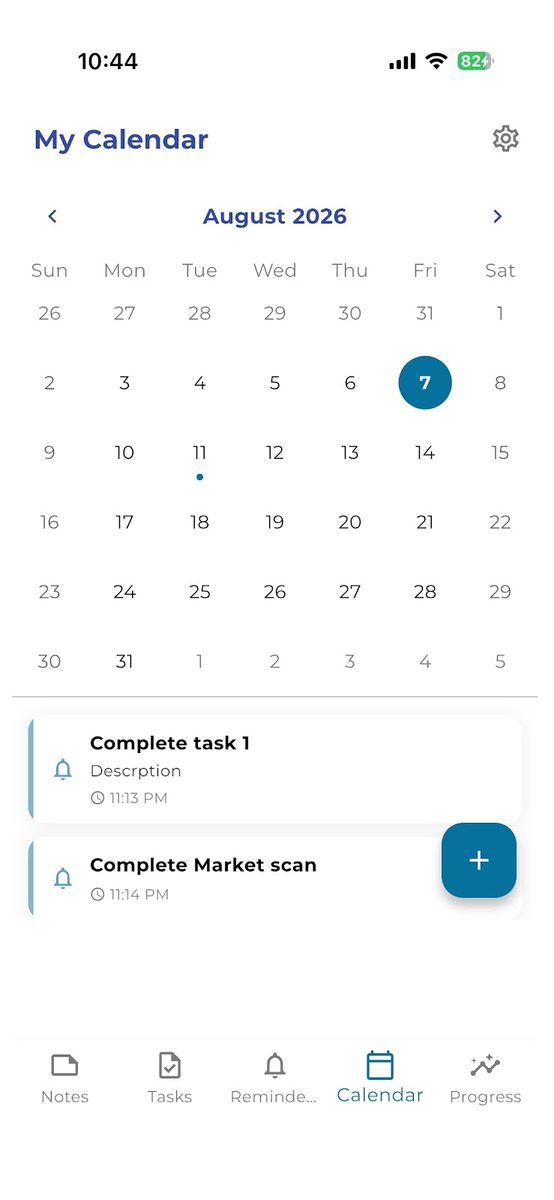
| Calendar | See what's due on any day. |
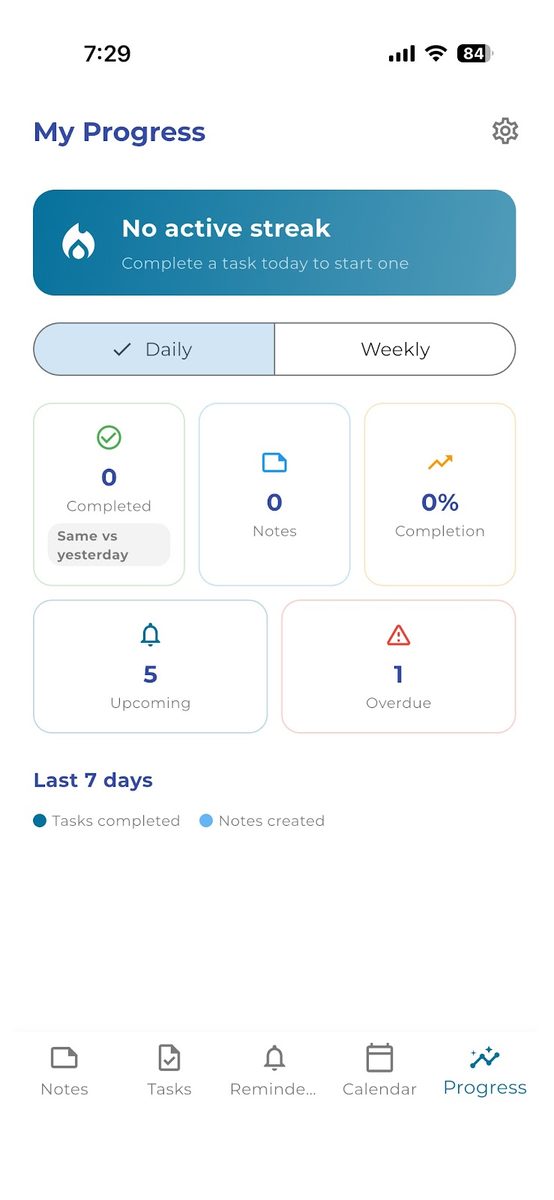
| Progress | Daily and weekly progress, streaks, and completed, upcoming and overdue counts. |
| Home-screen widget | See what's overdue at a glance on iPhone and Android. |
| Sync | Pick up where you left off on your phone, tablet or a new device. |
| Sharing | Share notes and tasks by email to work on them together, or share them read-only. |
| Sign-in | Sign in with Google or email, with account verification built in. |
| Dark mode | Switch to a dark theme any time. |
| Search | Search across notes and tasks instantly. |
03 Details
| Publisher | Digital Services |
|---|---|
| Developer name in stores | Digi Novate on the App Store · Digital Servicing on Google Play |
| Category | Notes & tasks |
| Platforms | iOS, Android, Huawei |
| Price | Free to download |
| Support | support@digitalservices.me |
| Legal | Privacy policy · Terms of use |
Available in 1 languages
04 Under the hood
How it's actually built.
Executive Notes is a cross-platform build like the rest of our own catalogue, shipping to iOS, Android and Huawei AppGallery from one codebase. It's deliberately English-only — a narrower localisation scope than our other apps, and a reasonable trade-off for a fast-capture tool where typing speed and layout simplicity matter more than reach.
Notes, tasks and standalone alerts share one reminders model rather than three separate ones, which is what lets a single Reminders view show everything due without the user having to remember where each alert was set. Cross-device sync and photo attachments sit on the same account layer — sign in once, and a note started on a phone is there, photos included, on a tablet or a new device.
Search runs against a local index on-device rather than round-tripping every keystroke to a server, so results appear as you type instead of after a network call resolves — the same reason the app can also lock notes behind a passcode or biometric check independent of the account layer, since that protection has to work even with no connection at all.
05 Questions
About Executive Notes.
Is Executive Notes free?
Yes. Executive Notes is free to download on the App Store, Google Play and Huawei AppGallery.
Can I set reminders on notes and tasks?
Yes. Notes and tasks can both carry reminders, and you can add standalone alerts too. They all appear together in one Reminders view, so nothing gets buried.
Do my notes sync between my phone and tablet?
Yes. Sign in on your phone, tablet or a new device and pick up exactly where you left off.
Can I dictate a note instead of typing?
Yes. Voice-to-text lets you dictate notes hands-free, and you can attach photos to a note as well.
Can I share a note with someone else?
Yes. Share notes and tasks by email to work on them together, or share them read-only when someone just needs to stay in the loop.
Is there a home-screen widget?
Yes, on iPhone and Android. It shows what's overdue at a glance, before you open the app.
Can I see my tasks on a calendar?
Yes. The calendar shows what's due on each day, and a progress view tracks your streaks and completed, upcoming and overdue tasks.
06 More from Digital Services

Bazarly
A local buy-and-sell marketplace app with AI photo-to-listing, in-app chat and offers — live in Cyprus, and available to license as a white-label platform.

Grocery List & Budget Planner
Share shopping lists with family and see what you spend. Free, works offline.
Business Ideas
Validate a business idea step by step: capture it in 30 seconds, get an AI report on its strengths and risks, and ask real people what they think — before you spend months and money on it.
Built by Digital Services